
GAIA — Oikos Totem
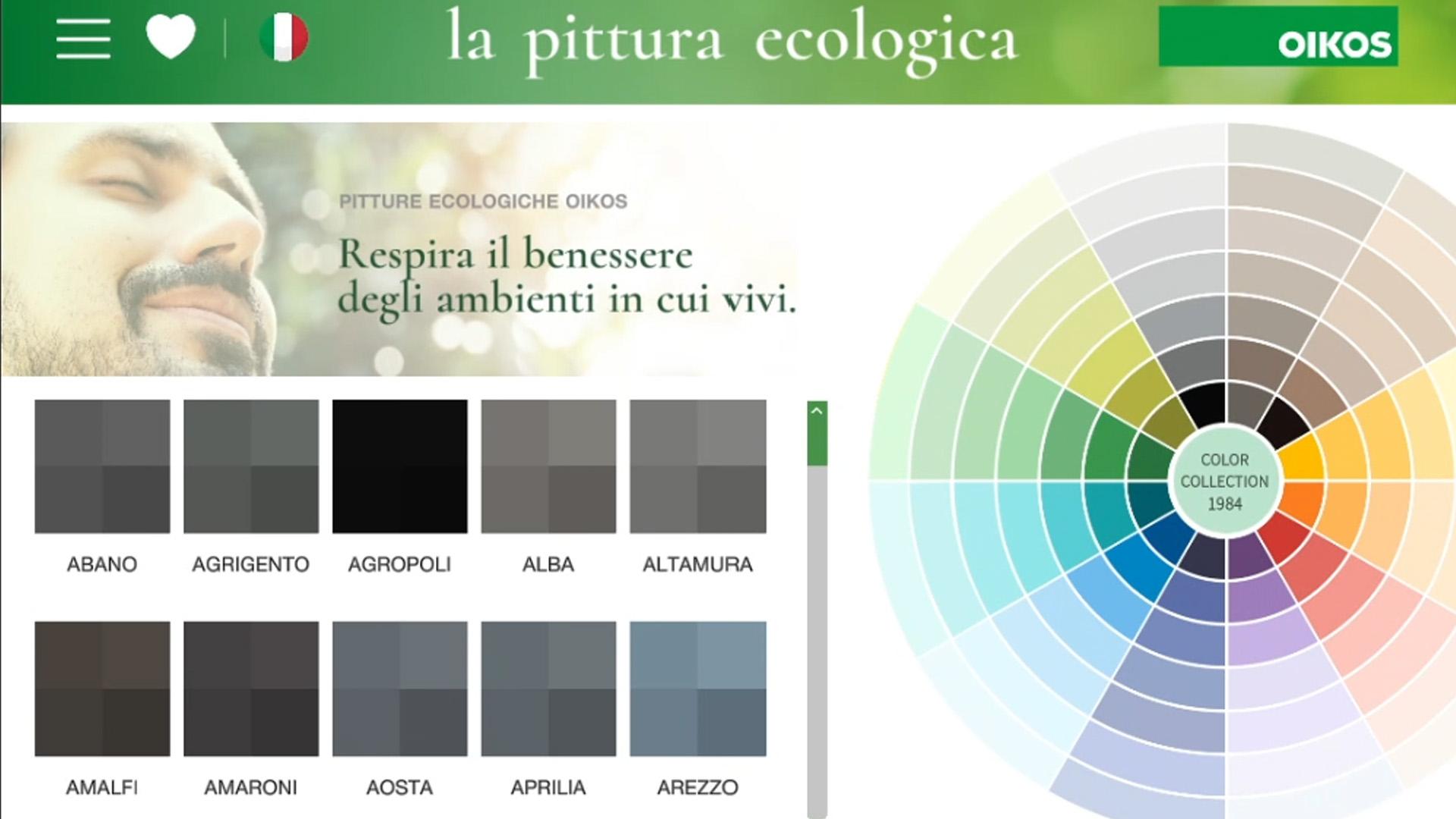
A portrait touchscreen experience developed in Unity that turns the Oikos catalog into an intuitive journey through ecological paints, colors, decorative finishes, environments, and products.
- Date
- Role & stack
- Unity • Touchscreen Kiosk • Real-Time Customization
- Project
- OIKOS GROUP | GAIA Totem

Overview
GAIA — Oikos Totem is an interactive Unity experience designed to guide visitors through the Oikos world of colors, decorative finishes, environments, and products.
The application turns a complex catalog into a visual and intuitive journey: users can explore collections, apply colors and decorative finishes to realistic interiors, save their favorite combinations, and discover related products. The experience is designed for independent use on portrait touch displays, while also supporting showroom staff during assisted consultations.
The project brings physical samples and digital content closer together. Images, color samples, and simulations occupy the center of the interface, while text and controls are limited to what is needed to guide the choice. The result is a phygital touchpoint that takes visitors from inspiration to a concrete output they can review after their session.
GAIA is more than an interactive catalog: it is a connected ecosystem combining local content, remote services, conversational assistance, monitoring tools, and operational continuity features. Data can be updated without direct intervention on the installation, while previously synchronized content remains available during temporary connection outages.
The goal was to turn the complexity of the Oikos catalog into an immediate experience: inspire, experiment, and reach a concrete choice without losing the thread of the journey.
Project snapshot
| Item | Details |
|---|---|
| Product type | Full-screen interactive application for touch kiosks |
| Usage contexts | Showrooms, retail locations, trade fairs, and exhibition spaces |
| Documented release | 4.7.6 |
| Engine | Unity 6 (6000.0.17f1) |
| Experience format | Portrait, 1080 × 1920 px reference resolution |
| Languages | Italian, English, and Simplified Chinese |
| Platforms | Android and Windows |
| Development | TopTouch for Oikos |
Context and goals
The Oikos catalog contains many relationships between color families, finishes, material properties, environments, and products. On a public kiosk, this richness must become understandable within seconds, without training or a management-software-style interface.
The project therefore addresses four complementary goals:
- Inspire: make the discovery of colors and surfaces immediate and engaging.
- Support decision-making: show combinations in realistic environments and connect them to compatible products.
- Provide continuity: turn session selections into favorites, PDFs, and QR codes for later consultation.
- Maintain operations: support configuration, media updates, monitoring, and deferred event delivery when the network is unstable.
The value of the experience comes from connecting these goals: technology stays in the background while every interaction moves the visitor toward a more informed choice.
User experience
The journey is organized into six main areas:
- Stand-by and Home: a multimedia sequence presents the brand and invites visitors to begin the experience.
- Colors and decorative finishes: users browse color families, finishes, tags, and filters while comparing Oikos solutions.
- Environments: colors and decorative finishes can be applied to predefined rooms and styles to preview the result in a realistic context.
- Products: each selection leads to compatible products, including images, descriptions, technical information, and a QR code for further exploration.
- Favorites: colors, decorative finishes, and simulations are collected into a personal summary that can be exported and shared.
- Assistant: a text and voice conversational interface helps users navigate the experience, find information, and receive suggestions.
Navigation is designed as a continuous flow. A color can lead to its color family, compatible products, or an environmental simulation; similarly, a saved environment retains its relationship with the colors and decorative finishes used. Rather than browsing isolated sections, users progressively build a personal selection.
The interaction supports sessions of different lengths. Visitors can quickly find inspiration through the color wheel and previews, or explore the catalog in greater depth using filters, product sheets, favorites, and the assistant. Large controls, a virtual keyboard, visual feedback, and guided transitions make the experience suitable for a touch display.
This approach supports usability in a public space. It does not, by itself, constitute an accessibility certification: contrast, minimum touch-target size, readability, captions, and alternatives to voice input should be checked regularly on the final device.
Colors, finishes, environments, products, and favorites do not exist as separate sections: each choice preserves its context and naturally leads to the next.
Experience flow
The experience begins with a stand-by schedule made of remotely updateable images and videos. At the first touch, the system stops the sequence and opens the Home screen, where visitors choose the area they want to explore.
In the color and decorative finish sections, content is organized by families, properties, and tags. Selecting an item opens its detail view and makes the next actions available: adding it to favorites, finding related products, or applying it to an environment.
The configurator allows users to move between rooms and stylistic variants while applying colors and decorative finishes independently. The resulting composition can be saved as a simulation and added to the session summary alongside other selected content.
The final section gathers favorites and simulations into a clear output. The system can generate a PDF document and a QR code, connecting the physical kiosk experience with later consultation on a smartphone or computer.
At any point, the conversational assistant can support the main journey. Users submit a request by text or voice; the system handles capture, processing, and response, displaying the result on screen and, when enabled, playing it through text-to-speech.
Stand-by
   ↓ first touch
Home
   ├── Colors and finishes ──→ Detail ──→ Products
   │                └────────→ Environment / simulation
   ├── Environments ────────→ Saved composition
   ├── Products ────────────→ Product sheet / QR
   └── Assistant ───────────→ Text or voice support
                                  ↓
                       Favorites + PDF + QR
                                  ↓
                       Inactivity / session end
                                  ↓
                         Reset and stand-by
Value delivered
For visitors
- Reduces the distance between an abstract sample and its effect in an environment.
- Preserves context across inspiration, simulation, and product discovery.
- Lets users take away a selection without creating an account on the kiosk.
- Provides an assistance channel in addition to traditional navigation.
For the brand and showroom
- Presents a complex catalog through a consistent visual narrative.
- Supports commercial conversations with simulations and shareable product information.
- Allows schedules and configuration to be updated remotely.
- Collects events that can help identify which content attracts the most interest.
For operations
- Centralizes device identification, configuration, and status.
- Reduces the impact of network outages through previously synchronized persistent content.
- Automatically restores the experience after each session.
- Retains selected operations locally for delivery when services become available again.
My role
- Designed the application architecture and touch navigation within a single full-screen experience.
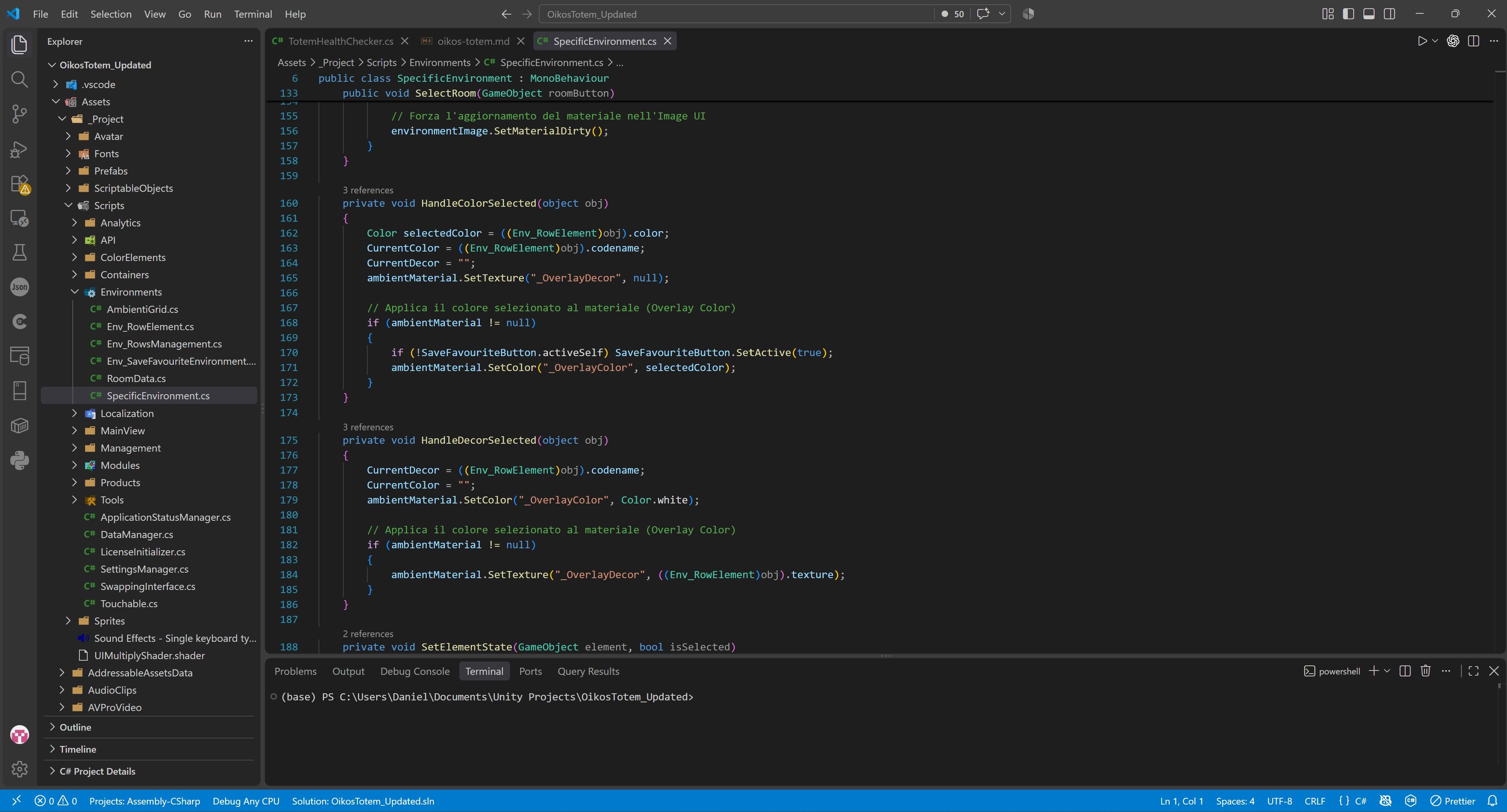
- Implemented the catalog of families, colors, decorative finishes, and products, including dynamic filters, content relationships, and API-driven loading.
- Created the environment configurator with visual application of colors and decorative textures, room and style selection, and simulation saving.
- Developed the favorites system and session outputs, including summaries, PDF generation, and QR codes for continuing the experience on another device.
- Integrated the conversational assistant with microphone input, transcription, response generation, and text-to-speech output.
- Implemented dynamic localization in Italian, English, and Simplified Chinese.
- Developed the kiosk's operational services, including remote configuration, Wi-Fi status, multimedia schedules, idle/reset behavior, and device health monitoring.
- Integrated analytics for chats, clicks, favorites, and simulations, with local persistence and deferred upload to preserve continuity during unstable connectivity.
- Organized content and parameters in an editor-driven structure designed for quick updates to the interface, catalog, media, and configuration.
Application architecture
The solution is organized by responsibility while keeping the production experience in one main Unity scene:
- Presentation: views, panels, touch controls, transitions, virtual keyboard, and localized copy.
- Domain: families, colors, decorative finishes, products, environments, simulations, and favorites.
- Session: temporary selections, conversations, summaries, PDFs, and QR codes.
- Integrations: MooCloud catalog, conversational services, speech synthesis, uploads, and analytics.
- Operations: bootstrap, authentication, configuration, connectivity, caching, media schedules, and health checks.
Modules communicate through application events, allowing the catalog, environments, favorites, products, and assistant to react to selections without rigid dependencies between every visual component.
┌─────────────────────────────────────────────────────────┐
│                 Unity touch experience                  │
│  Home · Catalog · Environments · Products · Assistant   │
└──────────────────────────┬──────────────────────────────┘
                           │ events and session state
┌──────────────────────────▼──────────────────────────────┐
│              Shared application services                │
│  Data · Favorites · Localization · Media · PDF / QR     │
└──────────────┬──────────────────────────┬───────────────┘
               │                          │
┌──────────────▼──────────────┐  ┌────────▼───────────────┐
│    On-device persistence    │  │    Remote services     │
│ cache · config · media       │  │ catalog · management  │
│ analytics · output           │  │ AI / voice · analytics│
└─────────────────────────────┘  └────────────────────────┘
Operational continuity and session lifecycle
At startup, the device is identified and initialized through management services. After authentication, it receives configuration, localization data, and media schedules, then starts periodic health checks.
Remote data is transformed into structures optimized for kiosk navigation and stored in persistent storage when required. Catalog images, configuration, localization files, media, and analytics can therefore survive an application restart. Offline operation still depends on a previous successful synchronization: a new installation or an incomplete cache requires access to remote services.
During use, favorites, simulations, and conversations belong to the current session. At the end of the session or after the configured inactivity period, the application:
- closes active interactive flows;
- clears temporary selections, favorites, and conversations;
- removes session artifacts that must not remain visible;
- restores the interface to its initial state;
- restarts the stand-by media schedule.
This lifecycle supports both operational continuity and privacy on a shared device.
Local caching, deferred delivery, and automatic resets keep the kiosk reliable even when connectivity is unstable or multiple visitors use it in succession.
Security and privacy
The project separates the public interface from administrative services. Device identification, controlled initialization, and token-based authentication protect management calls; periodic pings allow the central platform to detect the kiosk's operational status.
On the user side, automatic reset limits the persistence of selections and conversations between consecutive visitors. Analytics events are managed separately from the interface and can be queued locally when the network is unavailable.
Production releases still require periodic checks covering encrypted transport, credential protection and rotation, data minimization, retention periods, privacy notices, temporary-output deletion, and physical access to the device. This document describes the architecture; it is not a security or regulatory compliance certification.
Design decisions and trade-offs
| Decision | Benefit | Aspect to manage |
|---|---|---|
| Experience contained in one main production scene | Fast transitions and shared state across areas | Scene complexity and initialization order |
| Application events between modules | Reduced coupling between views and services | Consistent listener registration and removal |
| Remote catalog with local persistence | Updateable content and improved resilience | Cache versioning, integrity, and invalidation |
| Favorites without an account | Immediate, low-friction session | Reliable data reset on a public device |
| PDF and QR code output | Continuity beyond the kiosk | Upload availability and output expiration |
| Assistant based on external services | Natural text and voice support | Response time, network errors, cost, and privacy |
| Remotely managed media schedules | Editorial updates without a new build | Incomplete downloads, local storage, and media fallback |
Design challenges
- Making a catalog with a large number of colors, finishes, and product relationships immediately understandable on a touch screen.
- Keeping selections consistent while users move between the catalog, simulations, products, and favorites.
- Balancing online content and local caching to provide a stable experience in locations with variable connectivity.
- Integrating voice, AI services, and audio synthesis without interrupting the main navigation flow.
- Correctly handling consecutive sessions on a public device so that information from the previous visitor is not left visible.
- Supporting editorial and operational updates from remote services without requiring a new application build.
- Coordinating loading time, image resolution, and video playback on hardware designed for continuous operation.
Quality and acceptance criteria
The following criteria make experience quality verifiable on the final device:
- Successful startup both with network access and with a valid local cache.
- Return to stand-by and complete state cleanup after the inactivity timeout.
- Preservation of relationships between the selected item, simulation, product, and favorite during the session.
- Consistent language switching across the interface, catalog, PDF, and assistant.
- Explicit handling of external-service timeouts and errors without blocking core navigation.
- Continuous media scheduling even when an individual asset is missing or invalid.
- Correct rendering at 1080 × 1920 and touch-target verification on the physical panel.
- Long-term control of cache, media, log, analytics, and temporary-output growth.
- Verification of microphone, speakers, connectivity, and automatic restart in the installation environment.
Tech stack
- Engine: Unity 6 (
6000.0.17f1) - Language: C#
- Rendering: Built-in Render Pipeline
- UI and text: uGUI, TextMesh Pro, and Modern UI Pack
- Localization: Unity Localization
- Video: AVPro Video and configurable multimedia schedules
- Data and services: REST APIs, JSON, MooCloud catalog, and local caching
- AI and voice: OpenAI, a Python/Flask application server, and ElevenLabs
- Output: PDFs, QR codes, and shareable content
- Target: portrait touch kiosk, deployed on Android and Windows
Potential evolution
The following items are a proposed roadmap and are not presented as currently available features:
- Define experience KPIs — time to first interaction, completed simulations, most-viewed content, and QR continuation — with aggregate dashboards.
- Introduce versioned, atomic cache updates with integrity checks and rollback to the last valid version.
- Improve observability through structured logs, latency metrics, disk-space and peripheral status, and alerts for recurring errors.
- Run an accessibility and usability audit on the physical kiosk, covering contrast, readability, touch targets, captions, and alternatives to voice.
- Replace legacy transfers with HTTPS object storage and expiring signed links for PDFs and shared content.
- Add automated tests for API parsing, caching, localization, session reset, and core navigation flows.
- Formalize retention and deletion policies for analytics, conversations, and generated output.
Highlights
- A continuous journey from inspiration and environmental simulation to product discovery.
- A visual interface designed for a portrait touch display and non-technical users.
- Remote catalog data backed by local content for improved operational reliability.
- A multimodal assistant supporting both text and voice interaction.
- A multilingual experience suitable for international showrooms and events.
- Favorites, QR codes, and PDFs that extend the session beyond the kiosk.
- Centralized management of configuration, media schedules, monitoring, and analytics.
- Automatic reset and stand-by loops designed for continuously operated public installations.
Credits and rights
Project developed within TopTouch for Oikos.
Trademarks, logos, catalog content, and proprietary assets belong to their respective owners.